
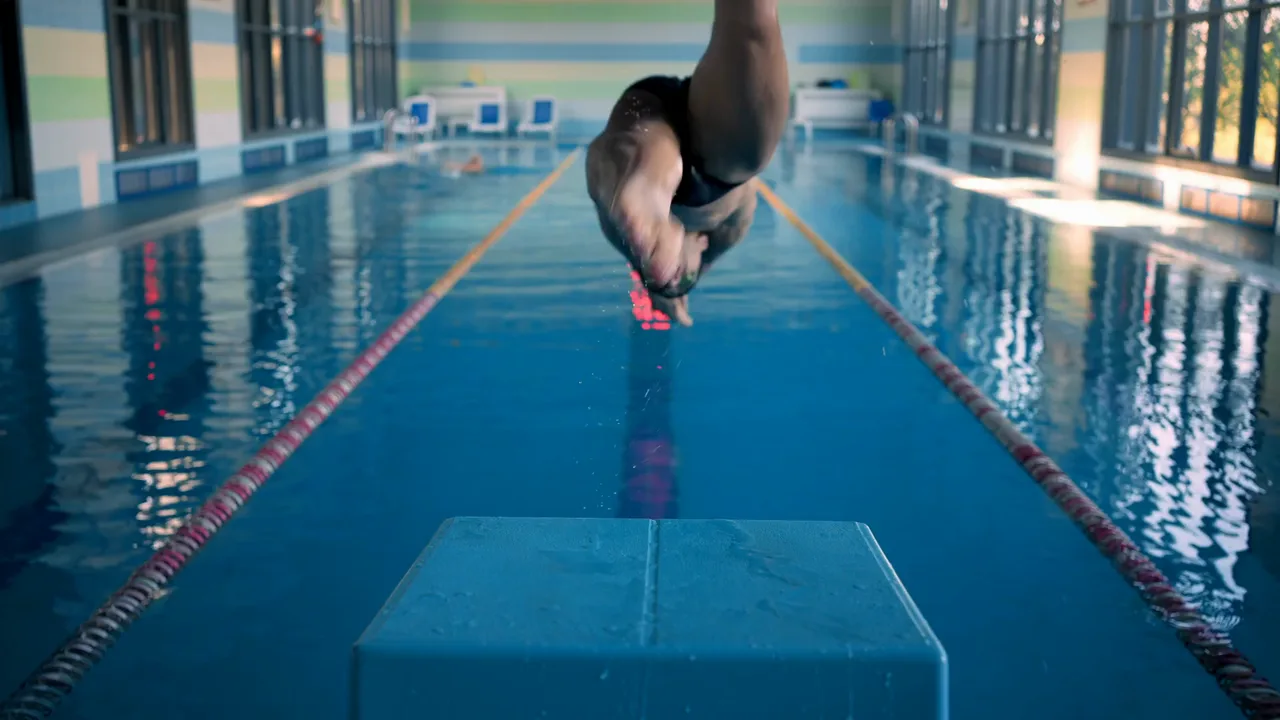
Swim stroke video analysis lets a coach and swimmer see what disappears at full speed: the timing of the breath, the shape of the catch, body rotation, kick rhythm, wall contact, streamline, and breakout.
The challenge is not simply recording a length. It is capturing a useful angle, finding the right phase, and turning the footage into one correction the swimmer can test in the next repeat.
You can do that with a compact poolside workflow on iPhone or iPad. KineVision lets you import or record a clip, review it in slow motion and frame by frame, draw on key positions, compare two swims, and keep footage organized by athlete.
What swim video can show clearly
A coach walking the deck sees the whole lane, but some details happen too quickly or remain partly hidden by the water. Video gives you a repeatable view of visible movement.
Depending on the angle, you can review:
- hand entry and recovery
- the visible catch and pull phase
- head position and breath timing
- body line and rotation
- kick timing and depth
- stroke rhythm and consistency
- approach, wall contact, and push-off
- streamline and breakout timing
Video does not explain every force acting on the swimmer, and ordinary two-dimensional footage is not a medical assessment. Use it to support coaching observation and make a specific movement pattern easier to discuss.
Choose the question before the angle. A side view, end view, and underwater view reveal different parts of the stroke. Record the view that can answer today's coaching question.
Record a useful above-water view
You do not need underwater equipment to begin. Clear footage from the deck can reveal rhythm, recovery, breathing, rotation, alignment, starts, turns, and breakouts.
Side view
Record from the deck with the swimmer moving across the frame or follow parallel to the lane when space and pool rules allow. Keep the full body visible and move the camera smoothly. This view is useful for stroke rhythm, body position, breathing, and the relationship between the arms and kick.
End view
Record from a safe position at the end of the lane with the swimmer moving toward or away from the camera. This angle can make lateral movement, entry position, alignment, and symmetry easier to see.
Stay clear of starts, finishes, officials, and other swimmers. Follow the facility's recording rules and get the appropriate permission before filming.
Start and turn view
For a start, frame the block, takeoff, entry area, and the space needed for the breakout. For a turn, include the approach, wall action, push-off, streamline, and first strokes.
Keep the device stable and record in landscape orientation. Avoid digital zoom and leave enough room for the complete movement. If you plan to compare sessions, mark or remember the camera position so you can reproduce it later.
Add underwater footage safely
Underwater footage can reveal parts of the catch, pull, kick, streamline, and breakout that the deck view cannot show clearly.
Use a waterproof action camera or properly rated housing, then import the clip into KineVision for review. Do not submerge an iPhone or iPad simply because a device is water resistant. Keep the review device dry, away from the pool edge, and protected from splashes.
A fixed side view works well when the swimmer passes parallel to the camera. A head-on or rear view can add information about alignment and symmetry. Keep the camera still, avoid placing equipment where it could interfere with the lane, and follow pool safety rules.
Underwater video is useful, but it is not required for every question. If the issue is breath timing or recovery rhythm, an above-water side view may be the better choice.
A six-step swim stroke video analysis workflow
Use the same review sequence each time. Consistency helps you spend less time operating the app and more time coaching.
1. Assign the swimmer and tag the clip
In KineVision, assign the athlete before recording or organize the imported clip afterward. Add a tag such as freestyle, turn, start, sprint, or easy so you can find a comparable swim later.
Include the effort context. A relaxed drill and a race-pace repeat may look different even when the swimmer's technical goal is unchanged.
2. Watch at full speed
Play the clip once or twice without pausing. Look at rhythm, coordination, and the overall result.
Ask: What is the most important visible pattern in this swim?
Choose one question. Trying to correct the entry, breath, rotation, kick, and finish at the same time makes the review hard to use.
3. Isolate one stroke cycle or phase
Move frame by frame and find the shortest section that proves the pattern. For a stroke review, that may be one complete cycle. For a start or turn, it may be the sequence from takeoff or wall contact through breakout.
Useful checkpoints include:
- entry
- visible catch
- mid-pull
- exit and recovery
- breath initiation and return
- wall contact
- maximum streamline
- first stroke after breakout
These are observation points, not universal positions every swimmer must copy.
4. Add one visual marker
Use a line, arrow, circle, or angle only when it makes the coaching point clearer. You might mark the direction of entry, circle the frame where the head returns, or draw a reference line beside the body.
Annotations should guide attention, not cover the swimmer. If the explanation needs six drawings, narrow the question.
5. Compare like with like
Place the clip beside the swimmer's own stronger attempt or an earlier session. Match the videos at a shared moment, then compare the same phase.
Use clips recorded from a similar angle and at a similar effort. Otherwise, differences in perspective or speed can look like changes in technique.
6. Give one cue and record again
End with one correction the swimmer can test immediately. Let the next repeat answer whether the intended change is visible.
This is the core feedback loop:
- record
- review
- cue
- retest
For a general version of this process, use the five-minute movement analysis framework.
The next repeat is the test. Keep poolside feedback short enough that the swimmer can connect the video, the cue, and the new movement while the sensation is still fresh.
What to review in each stroke
The same workflow applies across strokes, but the useful observation points change.
Freestyle
Review entry, breath timing, rotation, visible catch and pull, kick rhythm, and the return of the head after breathing. Use full-speed playback to preserve rhythm before inspecting individual frames.
Backstroke
Look at body line, rotation, entry, recovery timing, and kick consistency. An end view can help reveal lateral movement that is harder to notice from the side.
Breaststroke
Focus on the relationship between the pull, breath, kick, recovery, and glide. Slow motion can make sequencing easier to discuss, while full speed shows whether the stroke retains its rhythm.
Butterfly
Review the timing between the arms, breath, body movement, and kick. Compare complete cycles rather than judging one isolated position without its surrounding rhythm.
The goal is not to force every swimmer into one visual template. Account for the stroke, drill, pace, experience, and coaching objective.
Analyze starts, turns, and breakouts separately
Do not bury a start or turn review inside a full-length clip. Trim the analysis to the phase you want to discuss.
For starts, review:
- setup and first movement
- takeoff direction
- entry
- streamline
- breakout and first stroke
For turns, review:
- approach into the wall
- wall contact or rotation
- foot placement
- push-off direction
- streamline and breakout
Use KineVision's timer when you need a consistent time reference between visible events. Treat it as a coaching aid rather than a substitute for electronic race timing.
Common swim video analysis mistakes
Recording without a coaching question
Long, general footage creates more review work. Decide whether you need to see the stroke, breath, turn, start, or breakout before recording.
Changing the camera setup
A new angle can create an apparent difference that is only perspective. Repeat camera height, distance, orientation, and zoom for progress comparisons.
Beginning frame by frame
Isolated positions can hide rhythm. Watch at full speed first, then slow down the relevant phase.
Overloading the swimmer
Video makes many details visible. Select one correction that fits the session and let the next repeat test it.
Ignoring clip organization
Assign athletes and use consistent tags. A well-organized library makes it easy to compare similar strokes weeks later instead of searching through a general camera roll.
Build a repeatable poolside system
Useful swim stroke video analysis depends more on consistency than complexity. Record the angle that answers your question, protect the equipment, watch the full movement, isolate one phase, and give the swimmer one actionable correction.
KineVision supports that workflow with recording and import, slow motion, frame-by-frame review, drawing tools, timers, side-by-side comparison, and athlete organization on iPhone and iPad. Explore the swimming video analysis app, then compare plans and start free when you are ready to bring it to the pool deck.
Ready to get started? Download KineVision today from the App Store and rediscover the power of professional video analysis.
Comparing coaching apps? See KineVision vs OnForm, KineVision vs Coach's Eye, KineVision vs Dartfish, or KineVision vs CoachNow.